
Cloudflare-Scamalytics
What is this project?
A Cloudflare Worker that does three things:
- Checks the risk/fraud score of a single IP via the Scamalytics service.
- Resolves a domain and returns the risk of all the IPs behind it.
- Proxies a lightweight Check-Host network test (Ping/HTTP/TCP/UDP/DNS from several countries).
An important note on how it works: this project does not use the official Scamalytics API and a key/username. Instead, it directly scrapes the public scamalytics.com/ip/<ip> page and extracts the information from its HTML; if this direct scrape gets blocked or rate-limited, it automatically falls back to several public CORS proxies as an alternative path. Because of this, no environment variable or API key is needed for this part.
Architecture and dependencies
This project depends on two other side services (each its own separate repo, both on Render):
| Service | Role in this project |
|---|---|
| Domain-Resolve | When the user enters a domain, instead of resolving directly (which could fill up Cloudflare's Subrequest cap), the Worker calls this service and gets back the grouped list of IPs |
Check-Host (a separate repo, defaults to check-host.onrender.com) | Runs Ping/HTTP/TCP/UDP/DNS tests from different countries; the Worker just proxies and caches its response |
Workflow in short:
User → Cloudflare-Scamalytics Worker
           │
           ├─ IP → scrap scamalytics.com
           ├─ Domain → fetch to domain-resolve → Get IPs →  Scamalytics
└─ Check-Host → fetch to Check-HostWeb UI
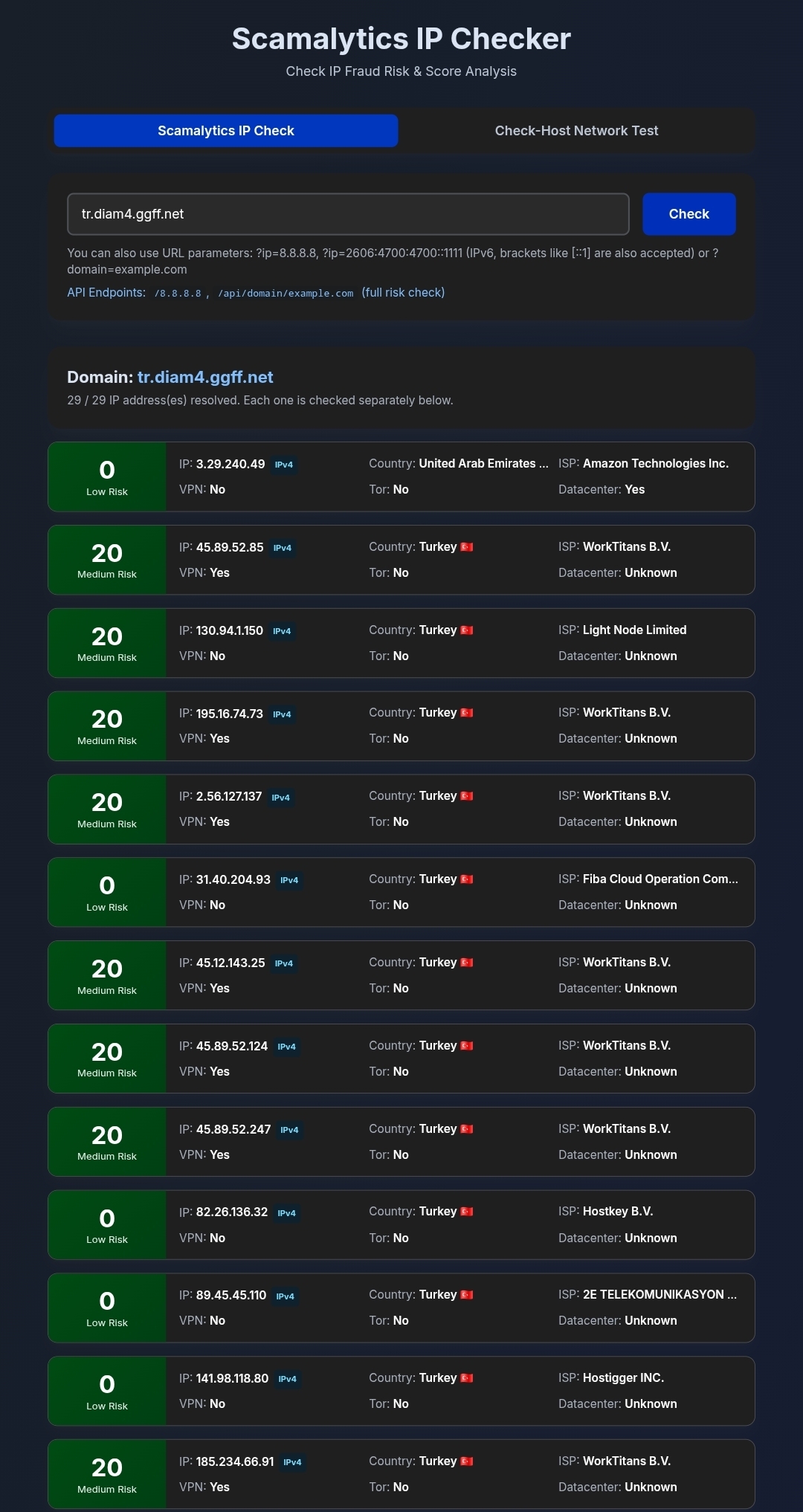
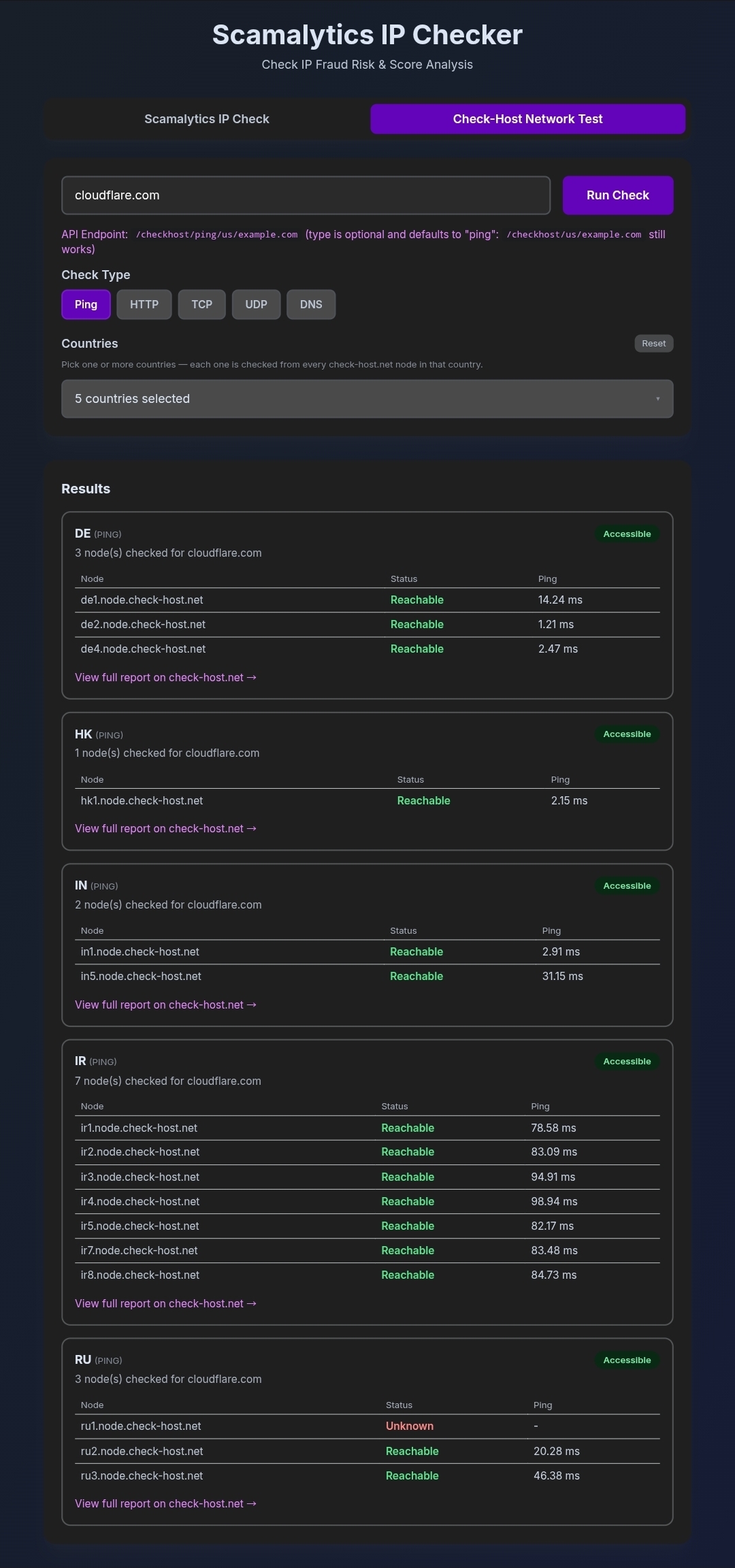
The Worker's main page (when opened with no parameters) has a UI with two tabs:
- Scamalytics IP Check — an input box that accepts IPv4, IPv6, or a domain, with guidance on using URL parameters (
?ip=or?domain=)
- Check-Host Network Test — choosing a check type (Ping/HTTP/TCP/UDP/DNS) and one or more countries, with a results table tailored to the check type (e.g. HTTP code + response time for HTTP, open/closed + response time for TCP/UDP, record count for DNS)
Endpoints (Routes)
IP - single lookup
GET /<ip>
GET /api/<ip>
GET /?ip=<ip>Returns the fraud score and details for one IP.
Domain - full risk check
GET /api/domain/<domain>
GET /?domain=<domain>Resolves the domain and returns the risk score of all the IPs behind it in one response.
Domain - resolve only (kept in the old version, for compatibility with some services)
GET /api/<domain>
GET /?api=<domain>Returns only the raw IP groups, without scoring.
Batch IP check
POST /api/check-ips
Content-Type: application/json

{ "ips": ["8.8.8.8", "1.1.1.1"] }Check-Host
GET /checkhost/<country>/<host>
GET /checkhost/<type>/<country>/<host>
GET /checkhost/check?host=<host>&type=<type>&country=<country>&country=<country>...typeis one ofping,http,tcp,udp,dns, and defaults topingif not written.countryis a 2 or 3-letter country code (likeus,de,ir); on thecheckendpoint, up to 10 countries can be selected per request.
Query parameters table
| Parameter | Meaning | Behavior |
|---|---|---|
ip | a single IP | that IP is scored |
domain | a domain name | all IPs behind it are resolved and scored |
api | IP or domain (old version) | auto-detects the type; for a domain it returns only the raw group, not a score |
IPv6 support
IPv4 and IPv6 are supported identically everywhere:
- Every entry point accepts an IPv6 address in any valid textual form: bracketed (
[2606:4700:4700::1111],[::1]:443) and even link-local with a Zone ID (fe80::1%eth0— whose Zone ID gets stripped, since it's only locally meaningful and scamalytics.com can't resolve it) - Every valid IPv6 address is normalized to the standard RFC 5952 form (lowercase, shortest
::compression, the::ffff:a.b.c.dform for IPv4-mapped addresses) before being used in the outbound URL, the Edge cache key, or the JSON response — meaning2001:0DB8::1,2001:db8:0:0:0:0:0:1, and2001:db8::1all land on one single cache and render identically, instead of being scored/cached three separate times. - Domain and batch scoring first de-duplicate the IP list based on the normalized form.
- API responses have an
ip_versionfield (4or6) for each IP, and the UI shows an IPv4/IPv6 badge next to each address. - Invalid entries in a batch request are reported back individually (
"error": true, "message": "Invalid IP address format") instead of failing the whole request.
Caching
- Single IP check: with Cloudflare's own Cache API, for 1 hour (
Cache-Control: public, max-age=3600); theX-Cacheheader shows eitherHITorMISS. - Check-Host: cached at the Edge for 60 seconds, per country+host+type combination.
Rate limiting (Throttling)
For batch/domain checks, IPs are scored in batches of 3: within each batch, requests are spread out with a 250ms gap (so they don't hit scamalytics.com all at once), there's also a 400ms pause between one batch and the next, and one retry is done per IP on error. Because of this, checking domains with a large number of IPs takes longer.
Important Notes
- Since scoring uses scraping of the public scamalytics.com page, it may occasionally get rate-limited or blocked; in that case that specific IP comes back with
"error": true, not the whole request. - If the Check-Host service (on Render) is slow or down, only that country's card shows an error message, the rest of the countries in the same request aren't affected.
Prerequisites
- A Cloudflare account
- No environment variable, API key, or Scamalytics account needed — this project works completely with zero configuration.
- (Optional) if you want to deploy your own version of domain-resolve and/or Check-Host instead of the default public services, you need to edit the two constants at the top of the
_worker.jsfile:
  const RENDER_RESOLVER_API = 'https://domain-resolve.onrender.com'; // your service
const CH_RENDER_API_BASE = 'https://check-host.onrender.com';Deployment guide
- Compress the
_worker.jsfile (after editing the two constants above, if needed) into a zip file. - Go to "Workers & Pages" in the Cloudflare dashboard and click "Create application".
- Choose the "Pages" tab, click "Upload assets" and upload the zip file.
- Click "Deploy site".
After deployment, your Pages address (like https://your-project.pages.dev) serves both the web UI and all the endpoints above.
Troubleshooting
- A specific IP always returns
error: true: scamalytics.com has probably blocked that request and all 5 fallback proxies have also failed; try again a bit later - Checking a domain takes a very long time: normal if the domain has a lot of IPs, since scoring is deliberately throttled (batches of 3, spaced out)
- One country shows an error in Check-Host but the rest work: it just means the Check-Host service was slow/down for that particular request; nothing is broken in the Worker
- IPv6 responses in different forms get separate caches: shouldn't happen — if you see it, make sure the address is actually valid (
isValidIPv6), since normalization is only applied to valid inputs - Getting an HTTP 502 error in the Check-Host section: this is because of Check-Host's own limit, and it fixes itself 5 minutes later, since Check-Host itself has to apply a rate-limit so its nodes don't get overloaded, for better performance. I'm trying to find a way around this.
Related links
- This project's repo:
https://github.com/mehdi-hexing/Cloudflare-Scamalytics - Domain resolve service:
https://github.com/mehdi-hexing/Domain-Resolve - Check-Host service:
https://github.com/mehdi-hexing/Check-Host-API